Table
#Overview
Show data in a list / table.
<x-table> does not rely on HTML's <table> tag but rather on grid layouts from CSS as the latter is more flexible.
<x-table class="w-max" columns="auto minmax(10rem, auto) minmax(auto, 8rem)" row-separator="border-base-300">
  <x-slot:header>
	<x-row class="font-semibold">
	  <span></span>
	  <span>Product</span>
	  <span>Quantity</span>
	</x-row>
  </x-slot:header>
  @foreach ($groceries as $index => $product)
	<x-row>
	  <span class="font-semibold">{{ $index + 1 }}</span>
	  <span>{{ $product['name'] }}</span>
	  <x-input type="number" min="0" value="{{ $product['value'] ?? 0 }}" :label="$product['unit'] ?? '×'"/>
	</x-row>
  @endforeach
</x-table>
groceries = [
	[ 'name' => 'Apple'    , 'unit' => null, 'value' => 6],
	[ 'name' => 'Banana'   , 'unit' => null, 'value' => 4],
	[ 'name' => 'Tomato'   , 'unit' => null],
	[ 'name' => 'Salad'    , 'unit' => null],
	[ 'name' => 'Carrot'   , 'unit' => null],
	[ 'name' => 'Onion'    , 'unit' => null],
	[ 'name' => 'Pasta'    , 'unit' => 'g.', 'value' => 250],
	[ 'name' => 'Cheese'   , 'unit' => 'g.'],
	[ 'name' => 'Chocolate', 'unit' => null],
];
An <x-table> requires the following to be displayed properly:
A list of
<x-row>in its slot.A
columnsattribute that will be fed into thegrid-template-columnsCSS property
#Borders
#Around the table
Borders are added around the table with the regular border classes.







<x-table class="w-max border-1 border-info rounded-box" columns="auto auto 1fr auto">
  <x-slot:header>
	<x-row class="font-semibold">
	  <span></span>
	  <span>Picture</span>
	  <span>Name</span>
	  <span>Position</span>
	</x-row>
  </x-slot:header>
  @foreach ($list as $index => $person)
	<x-row>
	  <span class="font-semibold">{{ $index + 1 }}</span>
	  <x-avatar class="size-12 bg-base-300" :picture="$person['picture']"/>
	  <span>{{ $person['name'] }}</span>
	  <span>{{ $person['position'] }}</span>
	</x-row>
  @endforeach
</x-table>
list = [
  ['name' => 'John Hammond', 'picture' => '/people/fake/john-hammond.webp', 'position'=> 'CEO'],
  ['name' => 'Nathalie Simmons', 'picture' => '/people/fake/nathalie-simmons.webp', 'position'=> 'CFO'],
  ['name' => 'Geoff Moore', 'picture' => '/people/fake/geoff-moore.webp', 'position'=> 'Accountant'],
  ['name' => 'Severine Waters', 'picture' => '/people/fake/severine-walter.webp', 'position'=> 'HR'],
  ['name' => 'Abhishek Singh', 'picture' => '/people/fake/abhishek-singh.webp', 'position'=> 'Developer'],
  ['name' => 'Fred Davis', 'picture' => '/people/fake/fred-davis.webp', 'position'=> 'Developer'],
  ['name' => 'Liz Yeung', 'picture' => '/people/fake/liz-yeung.webp', 'position'=> 'IT manager'],
];
#Between rows and columns
Just add a class in the row-separator attribute to add lines between rows.
Similarly, add a class in the column-separator attribute to add lines between columns.
If you put a class for both, unless you use a z-index class the vertical separators will appear behind the horizontal separators.
<x-table class="w-max" columns="auto 4rem fit-content(20rem) auto" row-separator="border-base-300">
  <x-slot:header>
	<x-row class="font-semibold">
	  <span></span>
	  <span>Picture</span>
	  <span>Name</span>
	  <span>Position</span>
	</x-row>
  </x-slot:header>
  @foreach ($list as $index => $person)
	<x-row>
	  <span class="font-semibold">{{ $index + 1 }}</span>
	  <x-avatar class="size-12 bg-base-300" :picture="$person['picture']"/>
	  <span>{{ $person['name'] }}</span>
	  <span>{{ $person['position'] }}</span>
	</x-row>
  @endforeach
</x-table>

<x-table class="w-max" columns="auto 4rem fit-content(20rem) auto" column-separator="border-dashed">
  <x-slot:header>
	<x-row class="font-semibold">
	  <span></span>
	  <span>Picture</span>
	  <span>Name</span>
	  <span>Position</span>
	</x-row>
  </x-slot:header>
  @foreach ($list as $index => $person)
	<x-row>
	  <span  class="pe-4 font-semibold">{{ $index + 1 }}</span>
	  <x-avatar class="size-12 bg-base-300" :picture="$person['picture']"/>
	  <span class="pe-4">{{ $person['name'] }}</span>
	  <span class="pe-4">{{ $person['position'] }}</span>
	</x-row>
  @endforeach
</x-table>

<x-table class="w-max border-1 border-info rounded-box" columns="auto 4rem fit-content(20rem) auto" row_separator="border-3 border-success" column-separator="border-4 border-error border-double">
  <x-slot:header>
	<x-row class="font-semibold">
	  <span></span>
	  <span>Picture</span>
	  <span>Name</span>
	  <span>Position</span>
	</x-row>
  </x-slot:header>
  @foreach ($list as $index => $person)
	<x-row>
	  <span  class="pe-4 font-semibold">{{ $index + 1 }}</span>
	  <x-avatar class="size-12 bg-base-300" :picture="$person['picture']"/>
	  <span class="pe-4">{{ $person['name'] }}</span>
	  <span class="pe-4">{{ $person['position'] }}</span>
	</x-row>
  @endforeach
</x-table>
list = [
  ['name' => 'John Hammond', 'picture' => '/people/fake/john-hammond.webp', 'position'=> 'CEO'],
  ['name' => 'Nathalie Simmons', 'picture' => '/people/fake/nathalie-simmons.webp', 'position'=> 'CFO'],
  ['name' => 'Geoff Moore', 'picture' => '/people/fake/geoff-moore.webp', 'position'=> 'Accountant'],
];
#Zebra
The zebra attribute creates alternately-colored rows.
<x-table zebra class="w-max border-1 border-base-300 rounded-box" columns="auto minmax(10rem, auto) minmax(auto, 8rem)" row-separator="border-base-300">
  <x-slot:header>
	<x-row class="font-semibold">
	  <span></span>
	  <span>Product</span>
	  <span>Quantity</span>
	</x-row>
  </x-slot:header>
  @foreach ($groceries as $index => $product)
	<x-row>
	  <span class="font-semibold">{{ $index + 1 }}</span>
	  <span>{{ $product['name'] }}</span>
	  <x-input type="number" min="0" value="{{ $product['value'] ?? 0 }}" :label="$product['unit'] ?? '×'"/>
	</x-row>
  @endforeach
</x-table>
groceries = [
	[ 'name' => 'Apple'    , 'unit' => null, 'value' => 6],
	[ 'name' => 'Banana'   , 'unit' => null, 'value' => 4],
	[ 'name' => 'Tomato'   , 'unit' => null],
	[ 'name' => 'Salad'    , 'unit' => null],
	[ 'name' => 'Carrot'   , 'unit' => null],
	[ 'name' => 'Onion'    , 'unit' => null],
	[ 'name' => 'Pasta'    , 'unit' => 'g.', 'value' => 250],
	[ 'name' => 'Cheese'   , 'unit' => 'g.'],
	[ 'name' => 'Chocolate', 'unit' => null],
];
#Collapsible rows
#As sub-rows
As <x-table> internally uses a grid layout, it is possible to make collapsible rows. A row with its collapsible attribute set behaves just like a collapse component.
For instance, the below example creates collapsible rows with the keep-open attribute set.
<x-table zebra class="w-max border-1 rounded-box" columns="3rem minmax(max-content,15rem) minmax(max-content,10rem) minmax(max-content,7rem)" column-separator="border-base-300">
  <x-slot:header>
	<x-row class="col-span-full grid grid-cols-subgrid font-semibold border-b-1">
	  <span></span>
	  <span>Name</span>
	  <span class="bg-base-100 col-span-2">Position</span>
	</x-row>
  </x-slot:header>
  @foreach ($teams as $team => $teammates)
	<x-row class="not-last:border-b-1" collapsible keep-open left arrow>
	  <x-slot:label>
		<span class="col-start-2 font-semibold">{{ $team }}</span>
	  </x-slot:label>
	  @foreach ($teammates as $index => $teammate)
		<x-row>
		  <span class="font-semibold justify-self-center">{{ $index + 1 }}</span>
		  <x-avatar class="size-12 rounded-full bg-base-300" :picture="$teammate['picture']" name="{{ $teammate['name'] }}"/>
		  <span>{{ $teammate['position'] }}</span>
		  <x-button color="primary" variant="ghost" label="Contact"/>
		</x-row>
	  @endforeach
	</x-row>
  @endforeach
</x-table>
teams = [
	'Management' => [
        ['name' => 'John Hammond', 'picture' => '/people/fake/john-hammond.webp', 'position'=> 'CEO'],
        ['name' => 'Nathalie Simmons', 'picture' => '/people/fake/nathalie-simmons.webp', 'position'=> 'CFO'],
    ], 'Business stakeholders' => [
        ['name' => 'Geoff Moore', 'picture' => '/people/fake/geoff-moore.webp', 'position'=> 'Accountant'],
        ['name' => 'Severine Walter', 'picture' => '/people/fake/severine-walter.webp', 'position'=> 'HR'],
    ], 'Development' => [
		['name' => 'Abhishek Singh', 'picture' => '/people/fake/abhishek-singh.webp', 'position'=> 'Developer'],
        ['name' => 'Fred Davis', 'picture' => '/people/fake/fred-davis.webp', 'position'=> 'Developer'],
        ['name' => 'Liz Yeung', 'picture' => '/people/fake/liz-yeung.webp', 'position'=> 'IT manager'],
    ]
];
#Insert different components
It is possible for the content of collapsible rows to be full-fledged components instead of sub-rows.






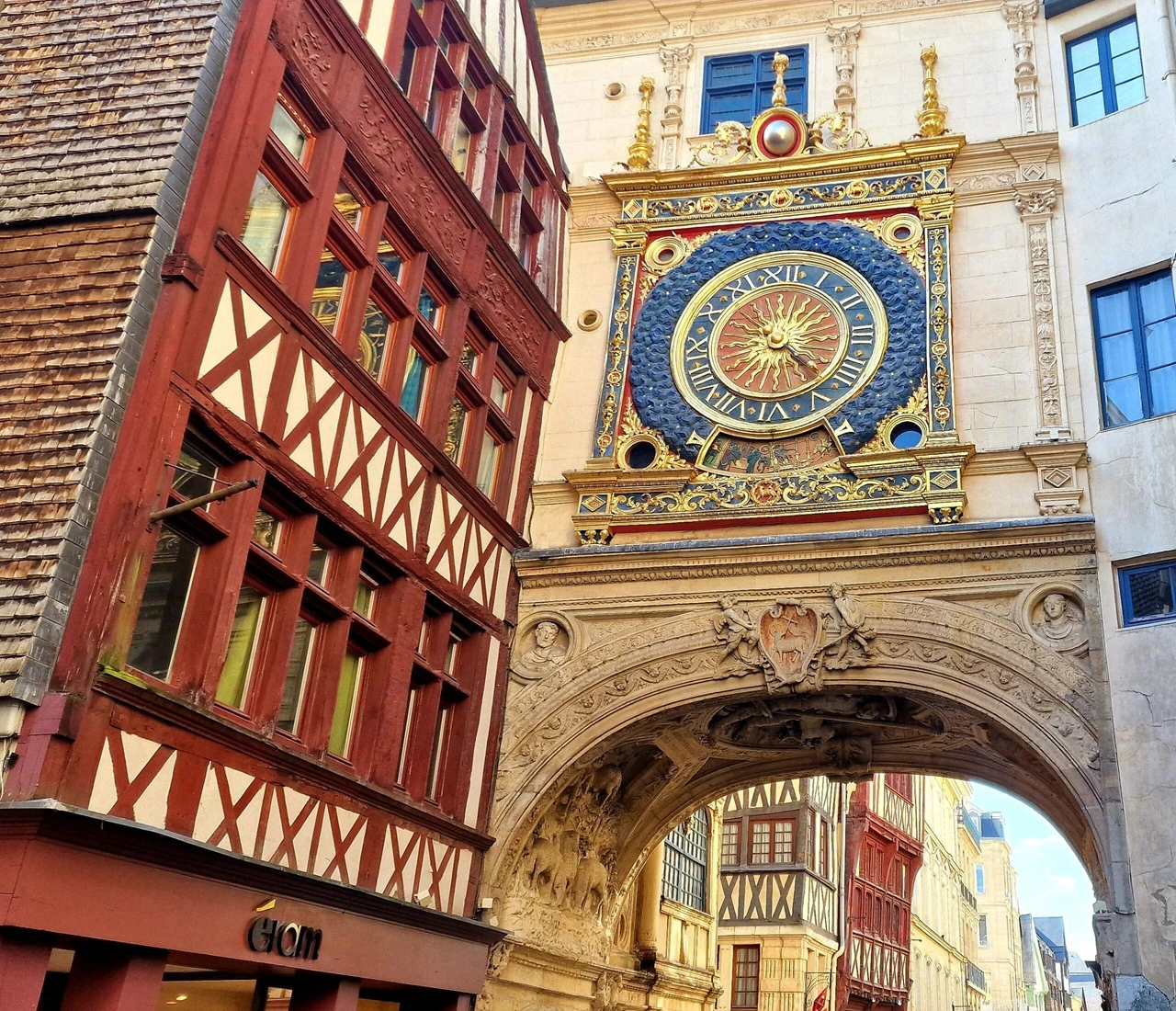

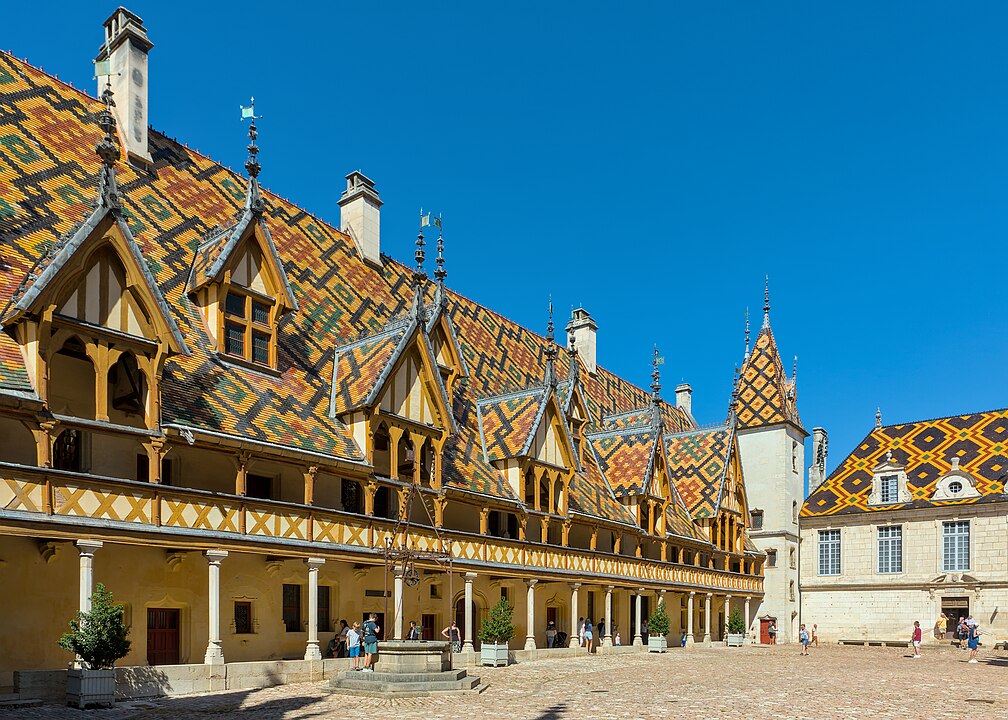

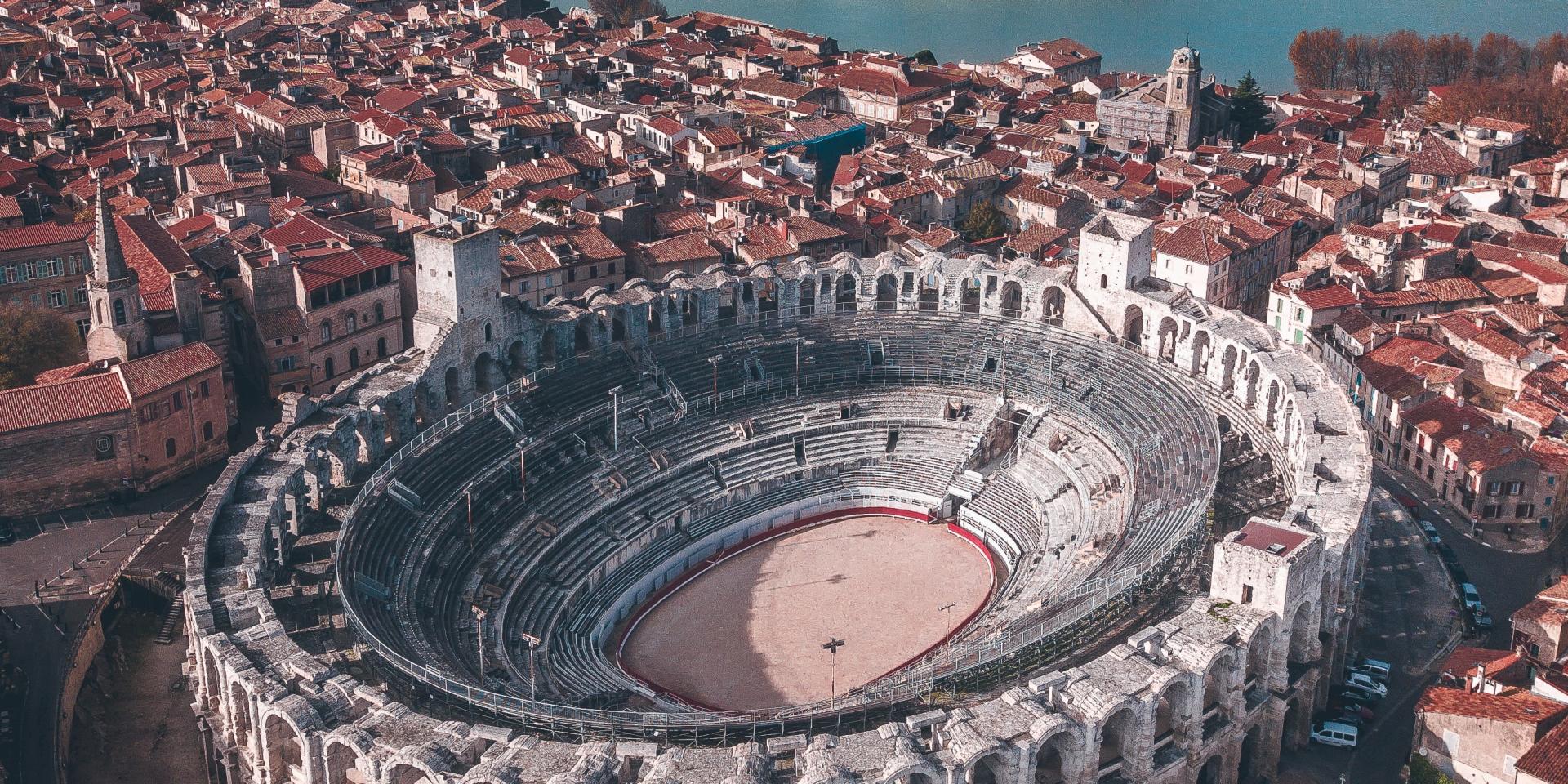





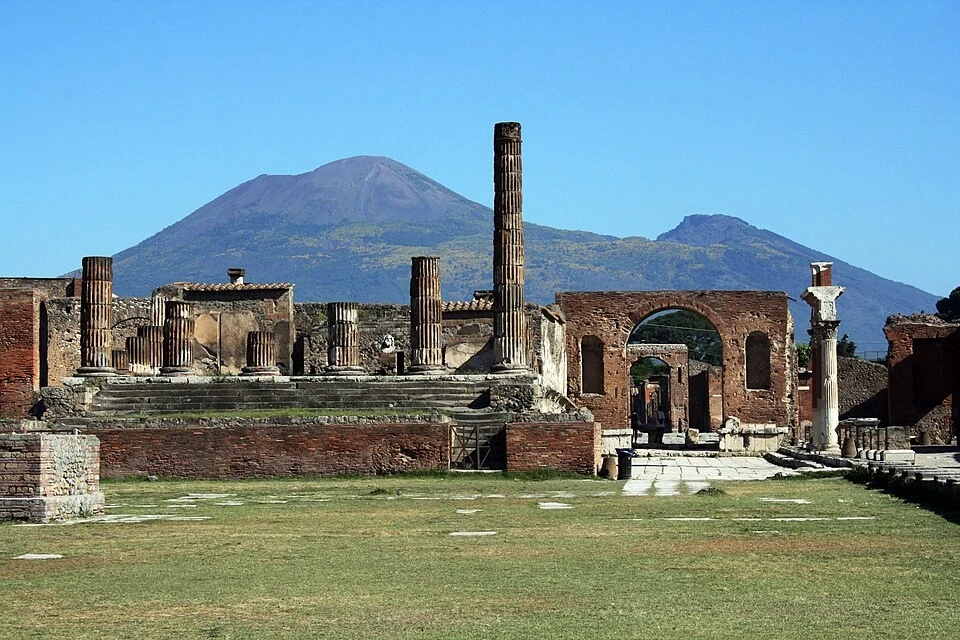








<x-table class="w-max border-1 border-base-300 rounded-box" columns="1fr max-content">
  <x-row class="col-span-full grid grid-cols-subgrid font-semibold border-b-1 border-base-300">
	<span class="min-w-60">Country</span>
	<span class="min-w-60">CTA</span>
  </x-row>
  @foreach($countries as $country => $pictures)
	<x-row class="col-span-full not-last:border-b-1" collapsible left arrow>
	  <x-slot:label class="font-light">
		<span class="bg-base-[inherit]">{{ $country }}</span>
		<x-button size="sm" class="self-center justify-self-center my-1" label="Book a flight now"/>
	  </x-slot:label>
	  <x-skewed-gallery class="col-span-full mx-4 rounded-box gap-[3px] h-60 *:hover:w-40 *:duration-500" :pictures="$pictures"/>
	</x-row>
  @endforeach
</x-table>
countries = [
  'China' => [
	'/assets/sightseeing/china/emei.webp',
	'/assets/sightseeing/china/fanjing.webp',
	'/assets/sightseeing/china/great-wall.webp',
	'/assets/sightseeing/china/heng.webp',
	'/assets/sightseeing/china/shanghai.webp',
	'/assets/sightseeing/china/shangri-la.webp',
  ],
  'France' => [
	'/assets/sightseeing/france/gros-horloge.webp',
	'/assets/sightseeing/france/carcassone.webp',
	'/assets/sightseeing/france/beaune.jpg',
	'/assets/sightseeing/france/grand-palais.webp',
	'/assets/sightseeing/france/arles.jpg',
	'/assets/sightseeing/france/lavande.webp',
	'/assets/sightseeing/france/rocamadour.jpg',
	'/assets/sightseeing/france/chenonceau.webp',
	'/assets/sightseeing/france/mont-saint-michel.webp',
  ],
  'Italy' => [
	'/assets/sightseeing/italy/florence.webp',
	'/assets/sightseeing/italy/pompeii.webp',
	'/assets/sightseeing/italy/venice.webp',
  ],
  'Japan' => [
	'/assets/sightseeing/japan/fuji.webp',
	'/assets/sightseeing/japan/kyoto.webp',
	'/assets/sightseeing/japan/miyajima.webp',
	'/assets/sightseeing/japan/nara.webp',
	'/assets/sightseeing/japan/tokyo.webp',
  ],
  'Spain' => [
	'/assets/sightseeing/spain/alhambra.webp',
	'/assets/sightseeing/spain/sagrada-familia.webp',
  ],
];
col-span-* class to the component for it to span multiple columns and avoid setting anything for the column-separator attribute.
#Examples
#Highlight row on hover
A simple hover:bg-{color} class takes care of that. You may want to add cursor-pointer for added effect.
<x-table class="w-max" columns="auto 4rem fit-content(20rem) auto" row-separator="border-base-300">
  <x-slot:header>
	<x-row class="font-semibold">
	  <span></span>
	  <span>Picture</span>
	  <span>Name</span>
	  <span>Position</span>
	</x-row>
  </x-slot:header>
  @foreach ($list as $index => $person)
	<x-row class="cursor-pointer hover:bg-base-300/50">
	  <span class="font-semibold">{{ $index + 1 }}</span>
	  <x-avatar class="size-12 bg-base-300" :picture="$person['picture']"/>
	  <span>{{ $person['name'] }}</span>
	  <span>{{ $person['position'] }}</span>
	</x-row>
  @endforeach
</x-table>
list = [
  ['name' => 'John Hammond', 'picture' => '/people/fake/john-hammond.webp', 'position'=> 'CEO'],
  ['name' => 'Nathalie Simmons', 'picture' => '/people/fake/nathalie-simmons.webp', 'position'=> 'CFO'],
  ['name' => 'Geoff Moore', 'picture' => '/people/fake/geoff-moore.webp', 'position'=> 'Accountant'],
  ['name' => 'Severine Waters', 'picture' => '/people/fake/severine-walter.webp', 'position'=> 'HR'],
  ['name' => 'Abhishek Singh', 'picture' => '/people/fake/abhishek-singh.webp', 'position'=> 'Developer'],
  ['name' => 'Fred Davis', 'picture' => '/people/fake/fred-davis.webp', 'position'=> 'Developer'],
  ['name' => 'Liz Yeung', 'picture' => '/people/fake/liz-yeung.webp', 'position'=> 'IT manager'],
];
#Reducing the row height
The default row height is mainly due to the default padding being applied to rows (class py-3). This is usually fine if the table does not contain too many rows and if each row only contains no more than 1 line of text.
If you believe that is too high, you can reduce it by adding a py-{number|length} class to each row.
Because each row contains an input that increases the row height, the grocery shopping list is a good candidate for reduction; here is a before/after comparison.
<x-table zebra class="w-max border-1 border-base-300 rounded-box" columns="auto minmax(10rem, auto) minmax(auto, 8rem)" row-separator="border-base-300">
  <x-slot:header>
	<x-row class="font-semibold">
	  <span></span>
	  <span>Product</span>
	  <span>Quantity</span>
	</x-row>
  </x-slot:header>
  @foreach ($groceries as $index => $product)
	<x-row>
	  <span class="font-semibold">{{ $index + 1 }}</span>
	  <span>{{ $product['name'] }}</span>
	  <x-input type="number" min="0" value="{{ $product['value'] ?? 0 }}" :label="$product['unit'] ?? '×'"/>
	</x-row>
  @endforeach
</x-table>

<x-table zebra class="w-max border-1 border-base-300 rounded-box" columns="auto minmax(10rem, auto) minmax(auto, 8rem)" row-separator="border-base-300">
  <x-slot:header>
	<x-row class="font-semibold">
	  <span></span>
	  <span>Product</span>
	  <span>Quantity</span>
	</x-row>
  </x-slot:header>
  @foreach ($groceries as $index => $product)
	<x-row class="py-1">
	  <span class="font-semibold">{{ $index + 1 }}</span>
	  <span>{{ $product['name'] }}</span>
	  <x-input type="number" min="0" value="{{ $product['value'] ?? 0 }}" :label="$product['unit'] ?? '×'"/>
	</x-row>
  @endforeach
</x-table>
groceries = [
	[ 'name' => 'Apple'    , 'unit' => null, 'value' => 6],
	[ 'name' => 'Banana'   , 'unit' => null, 'value' => 4],
	[ 'name' => 'Tomato'   , 'unit' => null],
	[ 'name' => 'Salad'    , 'unit' => null],
	[ 'name' => 'Carrot'   , 'unit' => null],
	[ 'name' => 'Onion'    , 'unit' => null],
	[ 'name' => 'Pasta'    , 'unit' => 'g.', 'value' => 250],
	[ 'name' => 'Cheese'   , 'unit' => 'g.'],
	[ 'name' => 'Chocolate', 'unit' => null],
];